Google always introduce useful product for the internet users. Now Google is providing a tool called Google document, if you are a regular user of Microsoft Document, then this is one of the best tool for you.
Next time you no need to worry about your missing doc from your PC, Laptop, external hard drive or pen drive once you stored it on Google document.
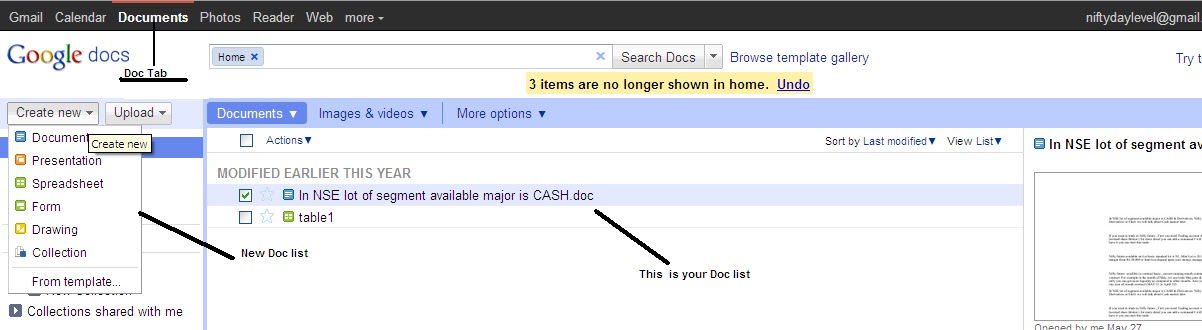
Where you can get this Google document? Just log in to your Gmail id at the top right you can find a document tab just click it, and then it will take you to Google document home page. In this page you can create word doc, presentation, excel sheet, Drawing, Form, Also you can get a free templates (planning, scheduling, loan EMI, insurance, ect) that has been already created by other user and you can modified as per your requirement too. This tool will be more useful for frequent user of presentation.
You can upload your important files and save it, so next time you can access this files wherever you accessing internet. These uploaded files can use it for your personal, public or can share to your friends or family.